


Table of Content
Motivation
Too many files
For years, I have relied on typing my notes and thoughts on my laptop in plain text. The convenience of not having to carry physical paper and the ease of searching through my notes were the main reasons for this. However, as time passed, my notes became cluttered and difficult to manage(still way better than physical notebook), despite my efforts to organize them by year and month.
Folders, hierarchy and References
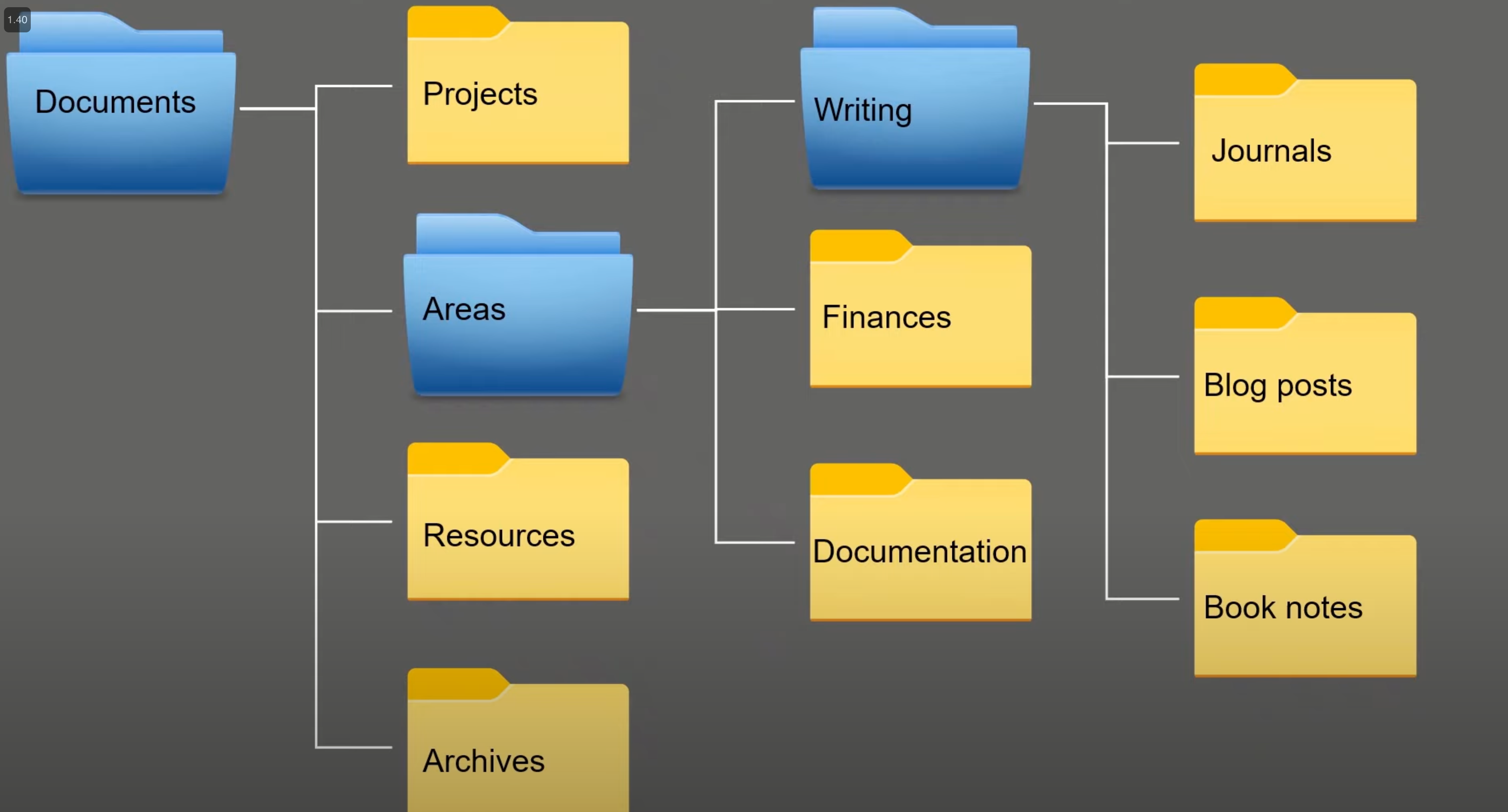
I strive to keep each note file focused on one specific topic, making them easy to identify and search. However, as my root directory has grown to include 10+ files, I have had to organize them into folders. For example, Info/cheatsheet/vim, info/cheatsheet/tmux, info/reading-thoughts, learn/toastmasters, learn/docker, work/work.md, etc.
This has presented two challenges. Firstly, I often struggle to determine which folder a particular piece of content should go in. For instance, if I have thoughts about investing psychology, should I put them in learning/investing.md or xxxx/psychology? This decision-making process can be draining and time-consuming.
Secondly, as my collection has grown to over 30 files, I sometimes forget about certain files and end up creating duplicates or overlapping files. While I have tried to reference all files in my README.md, this brings me back to the first issue of deciding on the best destination for a particular thought.
Furthermore, I often rearrange my files into different folders, unknowingly breaking lots the reference links. This becomes a major inconvenience when I am away from my computer and trying to access them from my mobile devices. It’s quite frustrating.
What I like about Logseq
Local first & Non-intrusive
I love that Logseq respects my note files and creates its own database, config, and tag files in a separate folder. This way, I can continue using Git for source control and have peace of mind knowing that not only do I have my files, but also all the changing history stays in .git. It allows me to sleep well at night.
Moreover, I can still use my favorite editor, Vim, to write everything. Logseq simply helps me manage tags and references.
Block, Tags and Bi-directional Link
Logseq has a unique feature where everything is a block, whether it’s a paragraph or a file. This eliminates the struggle of deciding where to place my quick notes. I can simply add them anywhere and tag them for easy organization. As someone who loves tags, I appreciate that I can add multiple tags to not only files but also blocks. This is truly amazing.
Now, whenever I write something, whether it’s a sentence or a paragraph, I try to give it a tag. This allows me to easily reference it in the future on an aggregated page. It’s a great feeling and serves as positive reinforcement to keep writing.
On a side note, one of the reasons I don’t use Notion is because it lacks tag support. It is a non-negotiable for me.
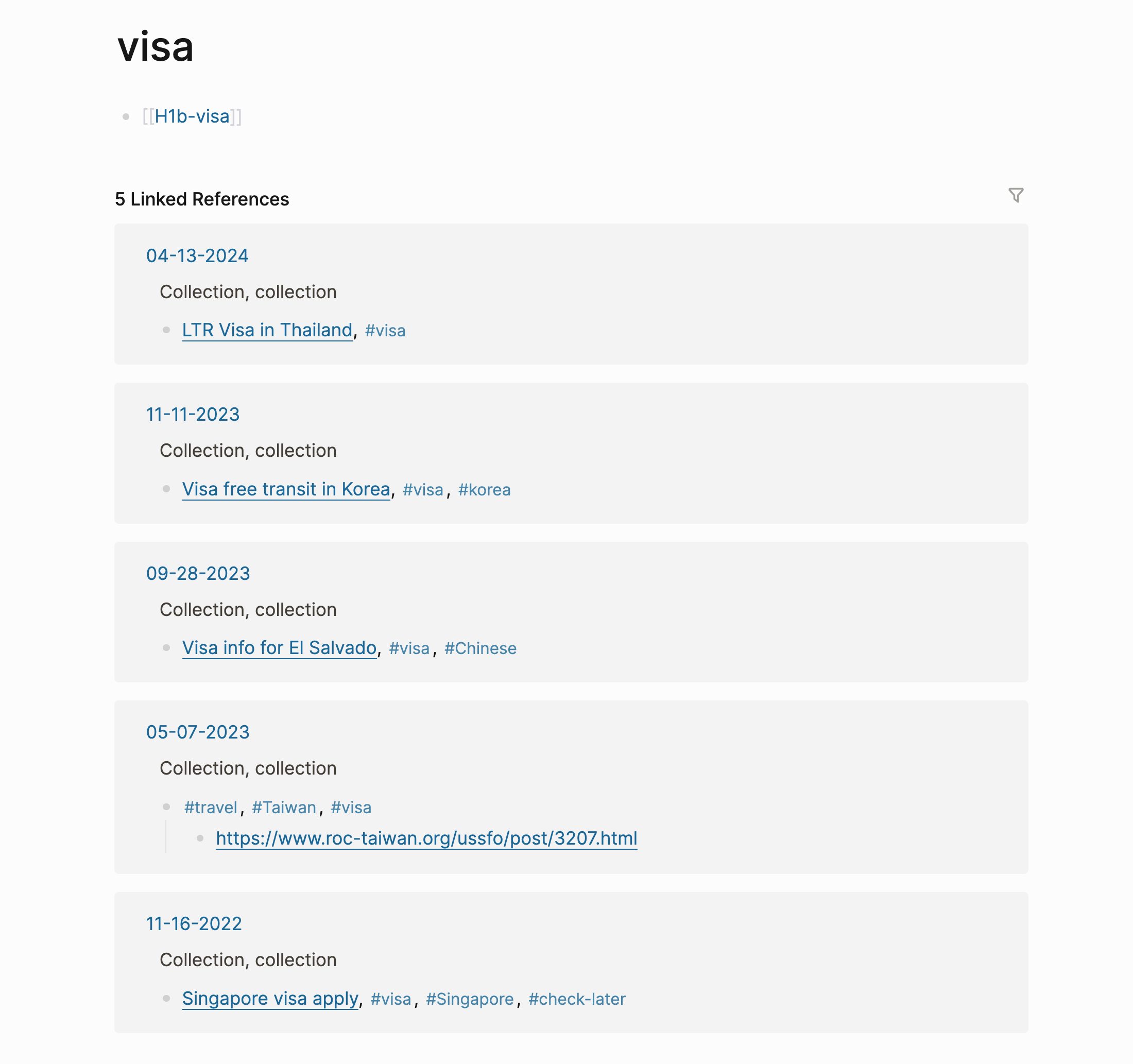
The bi-directional link is truly remarkable! Just take a look at the example below. In retrospect, this is exactly what is needed for effective knowledge management. It allows us to easily zoom in and out as needed.
Open Source
I haven’t had the opportunity to participate in any open source project yet, but I have been a consumer of many. I can definitely see myself getting involved in the future. If I find that the project’s direction differs from my own vision, I have the option to fork the source code and maintain it according to my vision.
In The End
I also appreciate the company behind the tool is from China, yet they choose to prioritize in English, and global first, I love the spirit. 💖
I am still quite a novice when it comes to using Logseq. There are tons more features for me to explore and adopt. I am looking forward to continue learning and incorporating them into my workflow.
Reference
To be explored
- Work along with Obsidian
- Graph View
- Extensions
- Public Sharing